Blog
Conversion Rate Optimization
A Practical Audit of PPC Traffic with Lucky Orange Discovery
Improve Google PPC conversion rates fast. Check paid vs organic performance, find the biggest drop-off, and fix landing page issues with Lucky Orange Discovery.

Lucky Orange
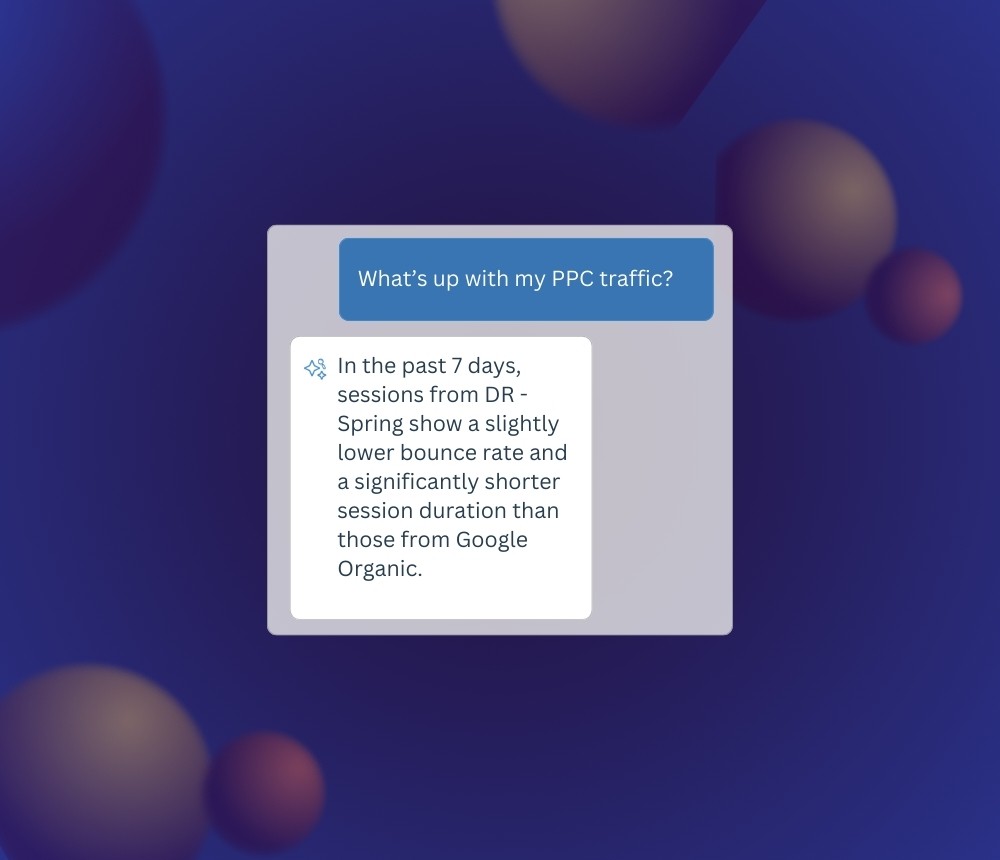
You’ve tuned keyword groups and bids. The ad platform says everything is green. The real question: are those paid visitors actually doing what you need once they land?
This audit shows you how to validate traffic quality with Lucky Orange Discovery before you touch budget. Fix pages first. Spend second.
What “quality” really means
Quality paid traffic:
Lands on the page you promised
Sees what matters to them fast
Clicks the main button
Completes the action you want consistently
Keeps pace with or beats organic on your core goal
You’ll run a few fast checks, compare performance, and find the problem step where paid visitors stall.
Set the table (5 minutes)
Define the goal in Lucky Orange
Set up Conversion Events that reflect real engagement steps toward real outcomes:Lead gen: Demo Start, Form Submit, Webinar Signup
E-com: Add to Cart, Sizing or Quantity selector, Product video play
List the key paid landing pages
Usually pricing, demo, core feature pages, or high-value PDPs.Plan your comparisons
Start with paid vs organic. Add one more comparison like:Mobile vs desktop
New vs returning
US vs UK
Open Discovery
Kick off with:“Give me a quick summary of how paid visitors are performing on
/your-pageover the last 7–14 days.”
Step 1 — Compare paid vs organic on the key page
In Discovery, pull a simple side-by-side for your landing page over the last 7–14 days. You care about:
Conversion rate (for your defined goal)
Scroll depth
Time to first click
The difference vs organic
Ask something like:
“Compare paid vs organic performance on
/pricingfor the last 14 days. Show conversion rate, scroll depth, and session duration.”
Step 2 — Ask Discovery the right follow-up questions (based on your goal)
From here, what you ask Discovery next depends on what you’re trying to validate.
A. Validating a new campaign
You just launched something new and want to know if the traffic is any good.
Ask Discovery:
“For my new campaign
Campaign Name UTM, how do paid visitors perform on/landing-pagecompared to organic over the last 7 days?”“Are these new visitors behaving differently from other paid visitors on this page?”
“Where do visitors from
Campaign Name UTMseem to stall or hesitate on/landing-page?”
You’re looking for signs of misaligned promise vs page: low conversion, short duration, etc.
B. Comparing campaigns against each other
You want to keep the winners and starve the losers.
Ask Discovery:
“Compare visitors from
Campaign AandCampaign Bon/landing-pagefor the last 14 days. Show conversion rate, rage clicks and any other available data.”
Here you’re looking for clear spread: one campaign sending curious people, the other sending zombies.
C. Auditing a new PPC landing page
You’ve built a new page and need to know whether it’s pulling its weight.
Ask Discovery:
“How do paid visitors on
/new-landing-pageperform vs paid visitors on/old-landing-pageover the last 14 days?”“Are there any segments of paid traffic where
/new-landing-pageunderperforms the old page?”
You’re looking for whether the new page is actually an upgrade or just looks nicer in Figma.
Step 3 — Ask Discovery which tools to use next (and what to look for)
Once you know who’s underperforming and where, the next move is asking Discovery to guide you into the right Lucky Orange views.
Ask Discovery where to go next
Start with:
“Which Lucky Orange tools should I use next to understand why paid visitors are underperforming on
/landing-page?”“Should I look at a heatmap, session recordings, or both for this problem?”
“Which filters or Optimizable Segments should I apply when watching Session Recordings for this audience?”
Discovery should send you into heatmaps and session recordings with filters already set for the right groups.
What to look for in heatmaps
In the heatmap view, focus on:
Visibility:
Is the main button visible without scrolling, especially on mobile?
Attention on key sections:
Are visitors spending time on what matters (benefits, proof, pricing, form) or drifting off to nav/FAQ?
Click patterns:
Are people fixating on secondary links instead of the main button?
Are there angry repeat clicks on non-clickable elements?
If you’re unsure, you can literally ask Discovery:
“What should I look for in the heatmap I'm reading to understand why paid visitors aren’t converting?”
What to look for in session recordings
In session recordings, keep it tight: watch 3–5 filtered sessions, not 50.
Ask Discovery to narrow things down:
“I want to watch session recordings or paid visitors on
/landing-pagewho didn’t convert in the last 7 days. What filters should I apply?”“Show me sessions where visitors looked engaged but didn’t complete the action I want.”
When you’re watching, look for:
Buttons below the fold on key devices
Overlays or chat widgets blocking buttons
Headline and search query clearly mismatched
Confusing filters or dropdowns
Forms that feel like work instead of a simple step
Back-and-forth jumps between sections or other pages
Obvious problem steps where people stop trying
Step 4 — Fix the page, not the budget
Once you’ve seen how visitors actually behave, ship one or two concrete page changes.
Common wins:
Move the main CTA where it’s visible without scrolling on mobile; add a sticky bar
Align the headline tightly with the ad’s promise and keywords
Surface pricing or key sections higher on the page so people see what matters sooner
Delay or remove overlays that block the main action
For PDPs, surface size/fit, shipping, and key specs so people don’t go hunting
For forms, trim the field that causes hesitation or looks like a commitment you haven’t earned yet
Give it enought time to get at least 500 new sessions, then go back into Discovery with the same questions and checks.
Step 5 — Recheck the same numbers
To confirm the fix worked, do not change the test. Re-run the same checks you started with:
Paid vs organic conversion rate on the key page
Scroll depth on a heatmap
The behavior patterns you saw in 3–5 recordings
Overall PPC conversion rate and campaign efficiency
If nothing moves and recordings show visitors really trying to act but still bailing, then you can start shifting budget: cut weak campaigns, re-route to better pages, and keep a strong control campaign protecting volume.
Make it easy
You don’t need more reports. You need a repeatable way to answer one question:
“Is this paid traffic actually doing what we want once they land?”
Discovery + Lucky Orange gives you that: compare, ask better questions, let the tools show you where people stall, fix the page, then recheck. Only after that do you mess with the budget.
It's time to ask more of your website tools.
Lucky Orange


